

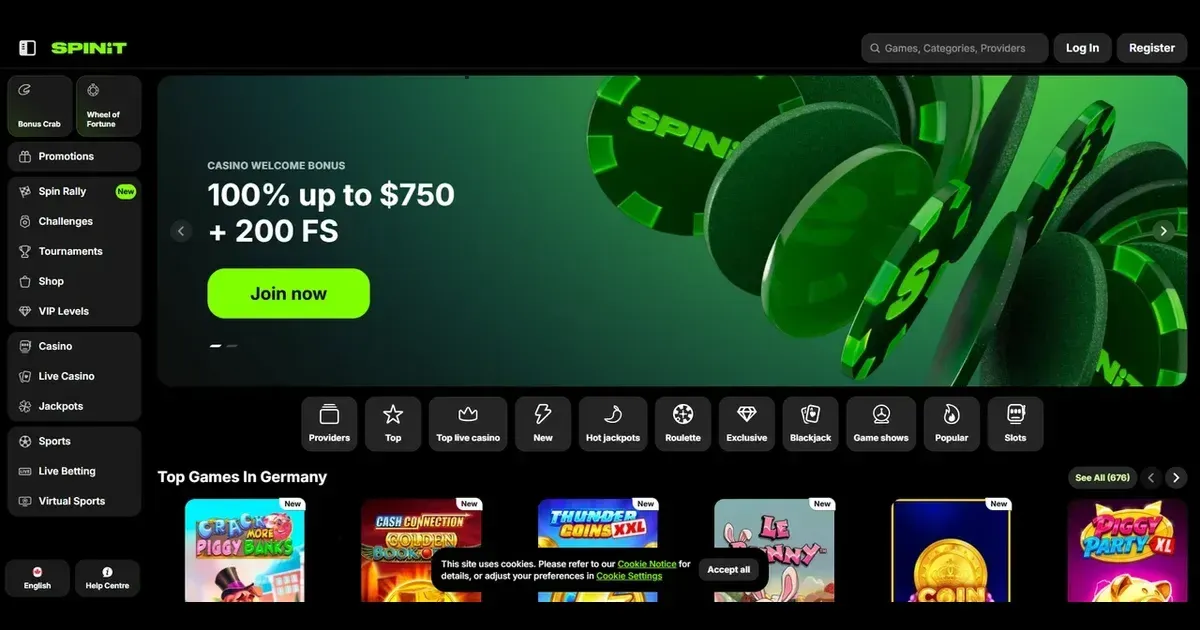
Spinit runs entirely in your mobile browser. You reach the same games, cashier and account from a phone or tablet as you do on desktop, without installing anything. The site detects your screen size and adjusts the layout automatically.
Mobile at this operator
We run a browser-only platform. There is no native iOS or Android application to download. You visit the site through Safari, Chrome or another mobile browser, log in with the same credentials you use on a computer, and the interface scales to fit your screen.
The game library, the cashier, your account settings and the support channels all load in the browser. Nothing changes about your balance, your bonus progress or your withdrawal limits when you switch devices mid-session.
Installed app versus site in a browser
An installed application would give you a home-screen icon and push notifications. We offer neither. The trade-off: no storage footprint on your device, no update prompts, and no need to re-download if you clear the app to free space.
Playing through a browser also means the operator cannot request device permissions beyond what the browser itself allows. Location services, camera access for verification uploads, and notification preferences stay controlled by your browser settings rather than by a separate app layer.
Day-to-day use
The sections you use most often – the game lobby, the deposit page, your transaction history – are accessible from the main menu, which collapses into a hamburger icon on screens smaller than a tablet. Filters in the game lobby let you sort by provider, type or release date without scrolling through the full catalogue.
Games load in portrait or landscape. Slots and table games adapt to either orientation; live dealer games work better in landscape because the chat panel and the video feed sit side by side. Rotating mid-game does not interrupt your session, though some older slots may reload the round.
| Section | What works |
|---|---|
| Game lobby | Searchable, filterable by type and provider |
| Cashier | Deposits, withdrawals, transaction history |
| Account | Password change, email updates, limits |
| Support | Live chat (24/7), email form |
Verification documents – ID scans, proof of residence – are uploaded through the account section. The file picker opens your phone's gallery or camera, and the operator processes uploads the same way it does on desktop. You must provide properly certified ID, proof of residence and proof of ownership of payment methods before and after making deposits or requesting a withdrawal. Documents are due within 30 days of the request; verification completes within 10 days after you submit everything.
Known limits
Some live games restrict access from mobile browsers. The operator's catalogue includes roughly 938 top games and over 4,000 additional titles across multiple pages, but a small number of older table games and a few speciality titles are desktop-only. The site does not flag which ones before you try to launch them – you see the restriction only when a game fails to load.
Multitasking interrupts your session in ways it does not on a computer. Switching to another app or locking your screen may pause a game round. Most modern slots resume where you left off when you return, but a few older ones reset the spin. Live dealer games disconnect after a minute or two of inactivity, and when you reconnect, the hand or round has moved on.
The chat panel in live games occupies a quarter of the screen in landscape mode. In portrait, it covers the video feed entirely when open. Reading or sending a message means you cannot watch the dealer, which matters more in games like blackjack or baccarat where timing affects your decisions.
What to check first
Before you deposit from a phone, confirm you are on the operator's own address. Phishing sites copy the layout and may differ by one character in the domain. Bookmark the legitimate URL after your first visit so you do not need to search for it again.
- Use a connection you trust. Public Wi-Fi exposes your login and payment details unless the network itself is encrypted, which most are not.
- Set deposit and loss limits through your account settings before you start a session. A phone is with you all day; friction at the point of deposit helps more than it does on a device you sit down to use.
- Sign out when you finish, especially on a device others can pick up. The browser may save your credentials, but logging out ends the active session and requires re-authentication to access your balance.
- Check your battery level if you plan a long session. Live games and video-heavy slots drain power faster than you expect, and a dead phone mid-withdrawal is an unnecessary risk.
Responsible gambling
Gambling is entertainment, not income. If you find yourself chasing losses, playing longer than planned, or returning to the site more often than feels comfortable, those are signals worth taking seriously.
We offer self-exclusion by emailing [email protected]. The operator will close your account for the period you request. For broader protection across multiple sites, register with GamStop, the UK's free national self-exclusion scheme. It covers every site licensed by the UK Gambling Commission.
Blocking software like Gamban and BetBlocker (free, multi-platform) prevents access to gambling sites across all your devices, including this one. They work independently of the operator's own controls and do not require you to contact support to activate them.
For free, confidential help, call the National Gambling Helpline at 0808 8020 133 (24/7) or visit BeGambleAware and GamCare. If someone you live with is under 18, parental-control software such as Net Nanny or Qustodio blocks access to gambling sites on shared devices.
This site is for players aged 18 and over (18+). If play stops feeling like a choice, free and confidential support is available at BeGambleAware.org.